Start with what you have.
Upload a local CSV or Excel file. Use the template if you need a starting point for your spreadsheet.
Download the CSV template ↓A POWER-UP FOR TRELLO
Bring your Excel or CSV data into Trello without rebuilding every card by hand. Choose your fields, check the preview, and import with confidence.
CSV & XLSX · Reusable presets · Review before import
A SIMPLE PATH TO YOUR BOARD
Keep control of what goes into your board, from the first column to the final card.
Upload a local CSV or Excel file. Use the template if you need a starting point for your spreadsheet.
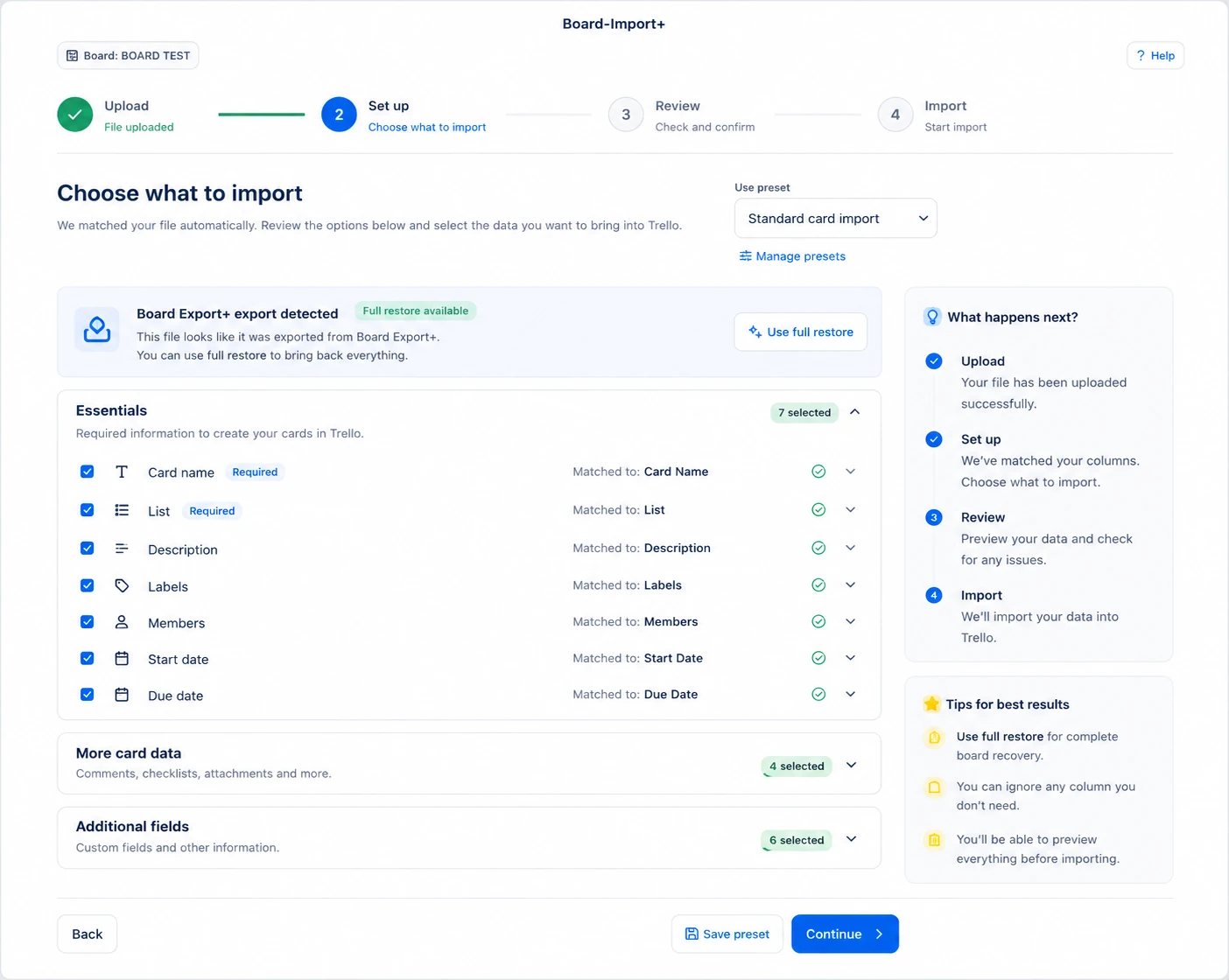
Download the CSV template ↓Match columns to Trello fields, select the data you need, and save your mapping as a preset for future imports.
Preview cards and read validation notes. Adjust your choices before confirming the import.
Follow the import and check the results. Import History helps you return to a job and review its details.
TAKE A LOOK INSIDE
Explore the workflow from upload to import results.
01 / UPLOAD
Add your CSV or XLSX file. Board-Import+ reads the headers and prepares your data for mapping.
Open full-size preview ↗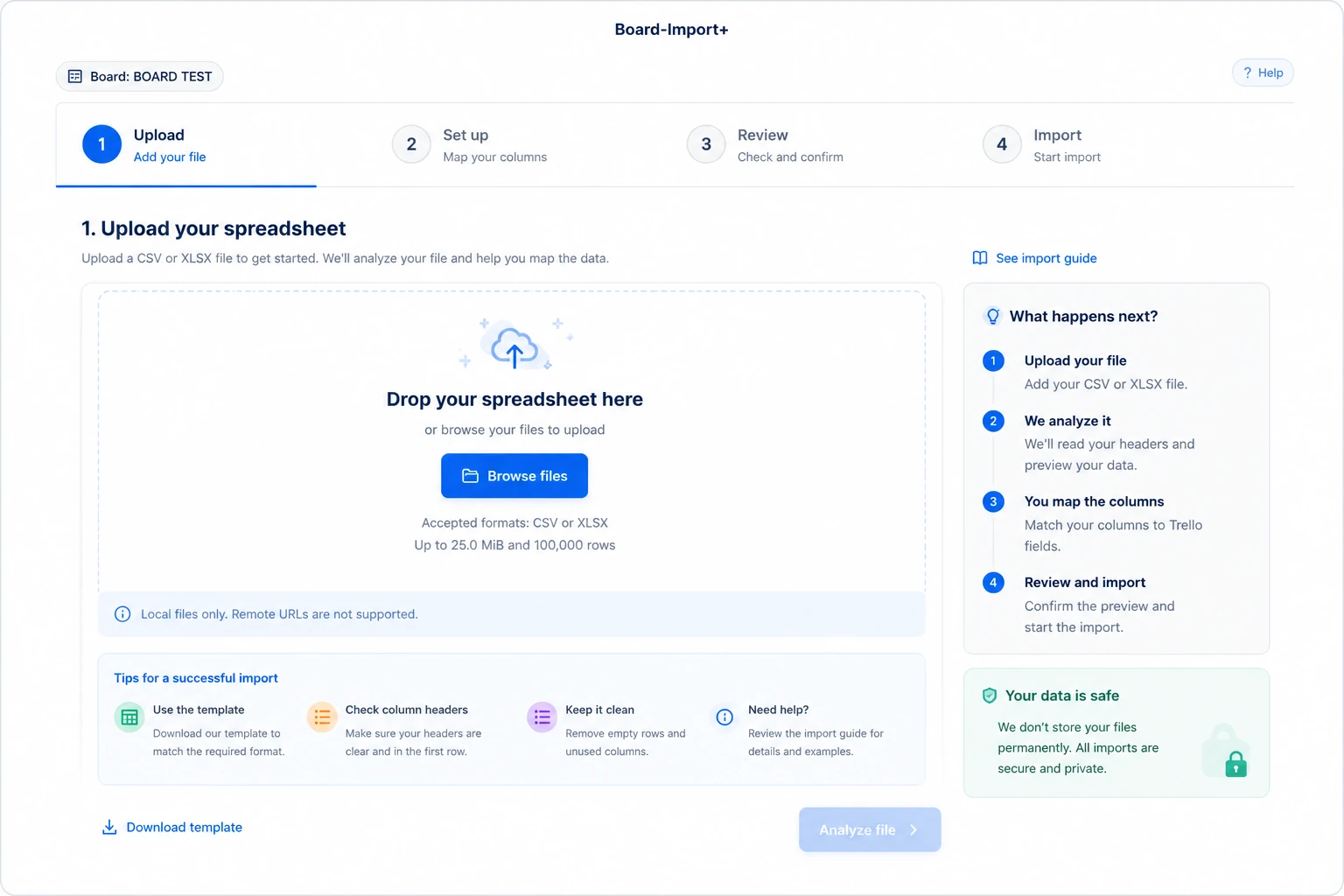
Illustrative interface previews. The video below shows the recorded workflow.
WATCH & FOLLOW ALONG
A narrated walkthrough of uploading a file, choosing fields and presets, reviewing warnings, and importing your cards.
Prefer written steps? Read the full user guide.
PRIVACY & SECURITY
Board-Import+ uses HTTPS and Trello authorisation to operate on your board. Review your import before allowing changes.
This website is served over HTTPS with a TLS certificate. Your browser can show the current certificate details.
Authorise access for imports and revoke it through your Trello account settings when you choose.
Uploaded source files are normally deleted within 24 hours. Import details and history have separate retention periods in the privacy policy.
Board-Import+ accepts local CSV and non-macro Excel XLSX files. The upload limit is 25 MiB, with up to 100,000 rows. Clean headers and consistent values make mapping easier. See the guide for format details.
Yes. Match your spreadsheet columns to Trello fields and select the supported data you want to bring across. Check the mappings and review any notes before you start.
A preset saves your field mapping and import settings for reuse. It is useful when you regularly import spreadsheets with the same layout. Review the mapping whenever the file structure changes.
Board-Import+ can recognise compatible Board Export+ files and offer restore options when available. Review the detected fields and warnings first; some Trello data may be unsupported or require additional permissions.
Uploading and setting up a file prepares the import. Changes are made when you confirm and start the import after reviewing it. We recommend trying a small file on a test board first.
Read the details to see which rows or fields are affected. Adjust the file or settings as needed. Unsupported values or inaccessible attachment URLs may be skipped; the review helps you understand that before importing.
Use the progress screen and Import History to return to an import and inspect its results. Check the details before starting the same file again.
Board-Import+ is a file-based import workflow. This guide covers uploads you start and confirm yourself; it does not describe a scheduled sync service.
Read the privacy policy, terms of service, and HTTPS and security information. For privacy requests, email support@nikaj.dev.
MEET THE DEVELOPER
Focused tools for the way you work in Trello. Discover the developer, explore the product family, or get help with Board-Import+.

Start with your file. Finish with your next step in Trello.
Add Board-Import+ to Trello ↗